
My Child At School (MCAS)

My Child At School (MCAS) is an online platform that helps parents engage more with their children’s education. At present, we will be using MCAS to give you immediate access to information relating to your child’s timetable, attendance and academic calendar. In addition, you can use it to update the information we hold on record about your child, report an absence, confirm the parental consents that you have given and book and pay for school trips. New features will be added as the system continues to become more embedded.
IMPORTANT: By using the MCAS app, you will receive immediate push notification messages from the school. This will avoid you having to log in regularly to view this information and represents an important method of communication used by the school. Please ensure someone with parental responsibility for your child has logged into the MCAS app in order to receive these push notifications.
If you need any support with MCAS, please follow the instructions in this guide as a first resort. If this does not help, please contact the school office where they will be pleased to assist you.
If you forget your password or it stops working for any reason, please click on the Reset Password link on the login page.
Registering on MCAS
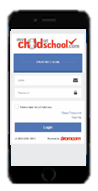
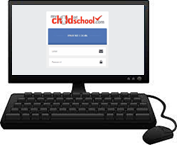
There are two ways to access MCAS: via the website from any PC, laptop or handheld device, and via the iOS/Android app.
If you wish to use the app:
- Download the MCAS app from your app store (search for mychildatschool)
- The MCAS app is called “MyChildAtSchool – Parent App”
If you wish to use the website:
- Go to mychildatschool.com
If you have already registered, enter your email and password and tap Login. If you need to register:
- If you have not yet registered, click Activate
- Enter OX14 1RF or the school ID 14428
- Enter your primary email address held by the school and click Sign up
- Enter your one time passcode sent to your email address and click Verify
- Create a password
- Go back to Login and use your email address and new password
If you have forgotten your password, click on Reset Password and follow the instructions given.
Please note that you can only access MCAS if we have you added as a parent. If your email address is not recognised, please contact the school office.
Notifications should be on by default but, if you experience difficulties, you may wish to check this in your device’s settings. Please leave yourself logged into the app to ensure you continue to receive push notifications.
REGISTERING ON MCAS WHEN YOU ALREADY HAVE AN MCAS ACCOUNT
If you already have an MCAS account for a child at another school, all of your children can be added to and accessed from the same MCAS account.
The easiest way to combine accounts is by using the website version of MCAS (mychildatschool.com). Using this method will also add the child to your mobile app. Access mychildatschool.com and activate your child’s account using the instructions above. When setting up your MCAS account, use the same email and password used for your existing account and the two will synchronise automatically, both when using the website and the mobile app.
If you wish to add your child’s account solely using the mobile app, please look at the instructions in the link below. If you have any difficulties, please read the instructions below and, if still required, contact the school office for further support.